Applying Auto Rate Feature

bc6

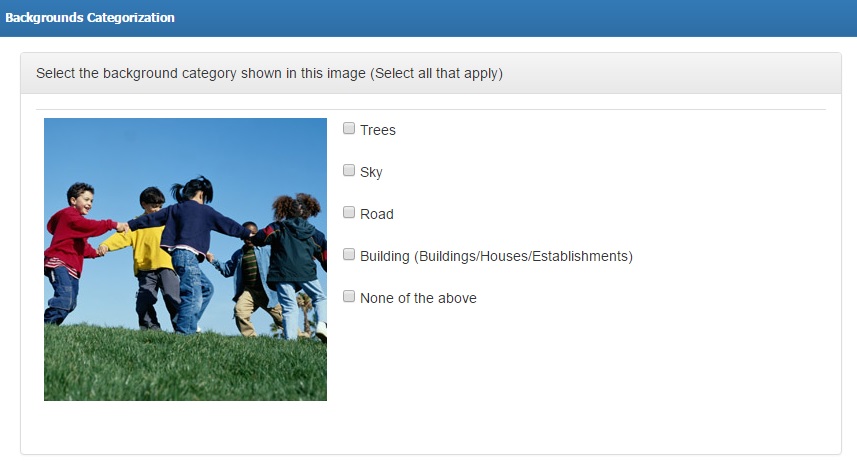
In connection with our latest article on Auto Rate feature, this tutorial will show you how you can apply the feature into your campaign. Let us say your campaign requires workers to categorize backgrounds seen in your provided image. There are 5 given keywords for workers to select. Campaign template may look like this: Scenario […]

commentsNo Comments
Read More

What’s New in Microworkers-TTV: Task Rating Template

bc6

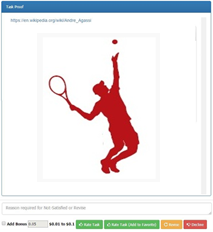
Rating tasks is now more convenient with the Microworkers-TTV Rating Template. This new feature allows you to list only the data you need to view in order to quickly rate tasks without having to do a lot of scrolling or viewing the instructions provided to Workers, which you (Employer) no longer need to see. To […]

commentsNo Comments
Read More

Added Feature in Auto Rate Tasks

ok2

We are constantly working on additional features for our users to ensure delivery of high quality service, thus we have implemented an add-on to Auto Rate Tasks feature. This added feature in auto rate tasks is very useful to campaigns resulting to have random answers such as Evaluation of a certain subject, Annotating given conditions, Assessment […]

commentsNo Comments
Read More

Template Form Builder From JSON Schema

json

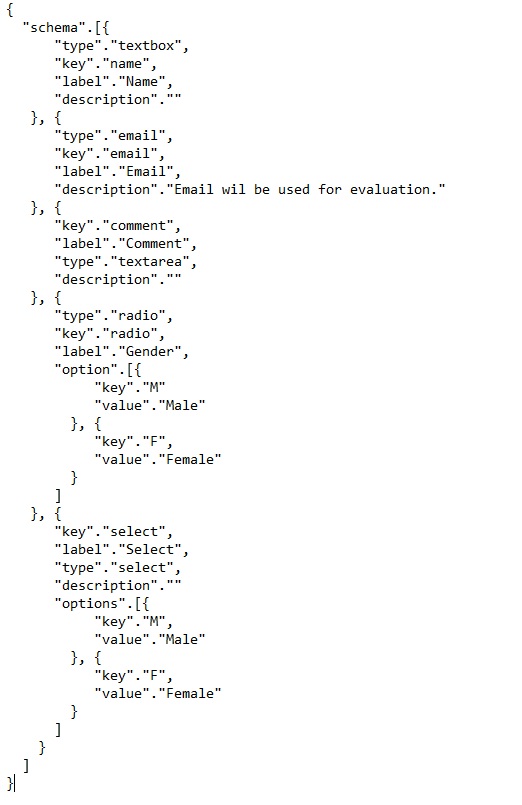
For you to easily understand this article, we will explain to you first what is JSON Schema. JSON (JavaScript Object Notation) Schema allows you to interpret and validate JSON documents. It is a great tool for ratifying the structure of JSON Data. JSON Data is an open-standard format that uses clear human-readable documents in an organized, user-friendly […]

comments1 Comment
Read More

Adding a New Line in a CSV File

sequence

We now have a solution for campaigns with CSV file needing to display lines or paragraph forms in their template. This feature is truly beneficial to campaigns such as Translation tasks, Rewrite an Article and other tasks involving line breaks. Let us say your campaign requires arranging sentences of events in the order in which […]

comments1 Comment
Read More