
Funding your Microworkers’ Employer account just got easier. Microworkers has rolled out new deposit options to give Employers more flexibility and convenience. These options are ideal for users who prefer modern payment methods and enhanced privacy.
Alongside the existing options, employers can now choose between One-Time Payments and Airtm to fund their Microworkers balance.
Minimum Deposit Requirement
Regardless of the deposit method used, please note that the minimum deposit amount on Microworkers is $10.00. This applies to all available payment options, both new and existing.
New Deposit Options
-
One-Time Payment
The One-Time Payment option is a flexible and privacy-focused way to add funds to your Microworkers account. As the name suggests, this method allows you to make a single deposit without saving your payment details for future use.
When you open the deposit page and click the Pay button in the One-Time Payment section, you’ll be redirected to a new payment page.
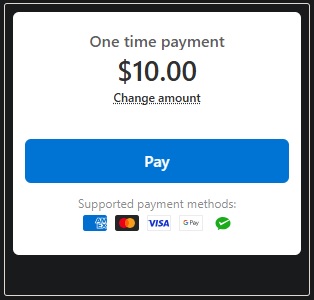
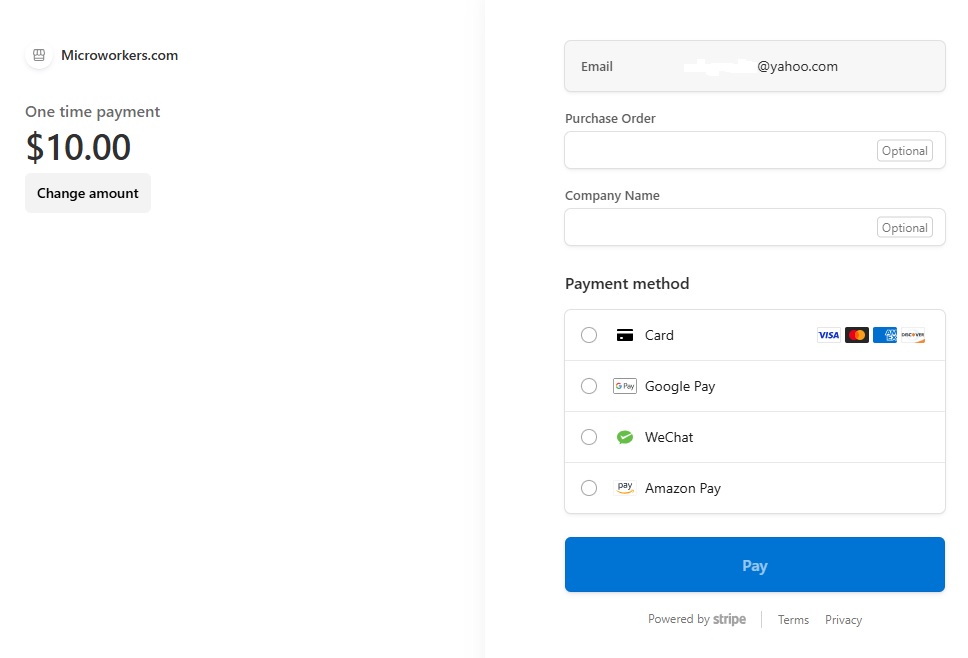
The payment options displayed may vary depending on your browser, country, and device. For example, iPhone users with Apple Pay configured may see Apple Pay as an available option when accessing Microworkers from their device.
One-Time Payments are perfect if:
- You want to use a credit card for a single deposit without saving it for future use.
- You want to use a digital wallet like Google Pay, Apple Pay, Amazon Pay, WeChat Pay, or Pix (Brazil only). These methods are always one-time and not stored by Microworkers.
Google Pay
Ideal for Android users, Google Pay lets you fund your Microworkers account quickly and securely. Each transaction is processed as a one-time payment, and your credentials are not saved.
Apple Pay
For iOS users with Apple Pay configured, this option makes deposits seamless from your Apple account. Payment information is not retained after the transaction.
WeChat Pay
Available for users in China, WeChat Pay allows deposits directly from your WeChat account. Each deposit requires re-authentication, as credentials are not stored.
Key Advantage:
- No payment details are saved after the transaction
- Ideal for occasional Employers or first-time users
- Supports modern and globally used payment methods
-
Airtm Deposit Option
Microworkers now supports Airtm as a deposit method. This option offers greater flexibility for users who already use Airtm as a digital financial platform.
How It Works – Steps on How to Use Airtm Deposit:
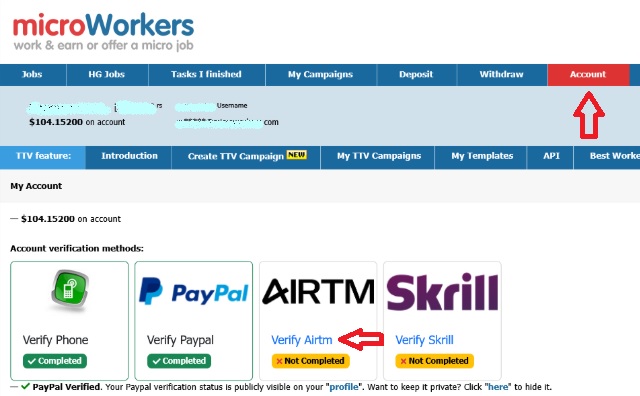
- Before making a deposit, you must link your Airtm account to your Microworkers account. Simply go to the “Account” page and click on “Verify Airtm” from the list of “Account verification methods”.
- Enter your verified Airtm email which must match your Microworkers email address. Then click “Connect”.
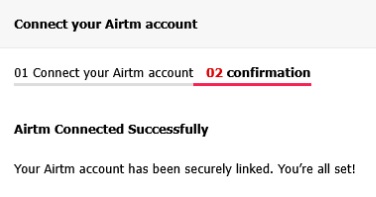
- Once linked, you will receive a confirmation message and you are all set to make a deposit.
- Now access the “Deposit“ page. Input the amount under the “Airtm” section (the minimum is $10.00) or choose from the amounts already listed. After that, click on “Deposit”.
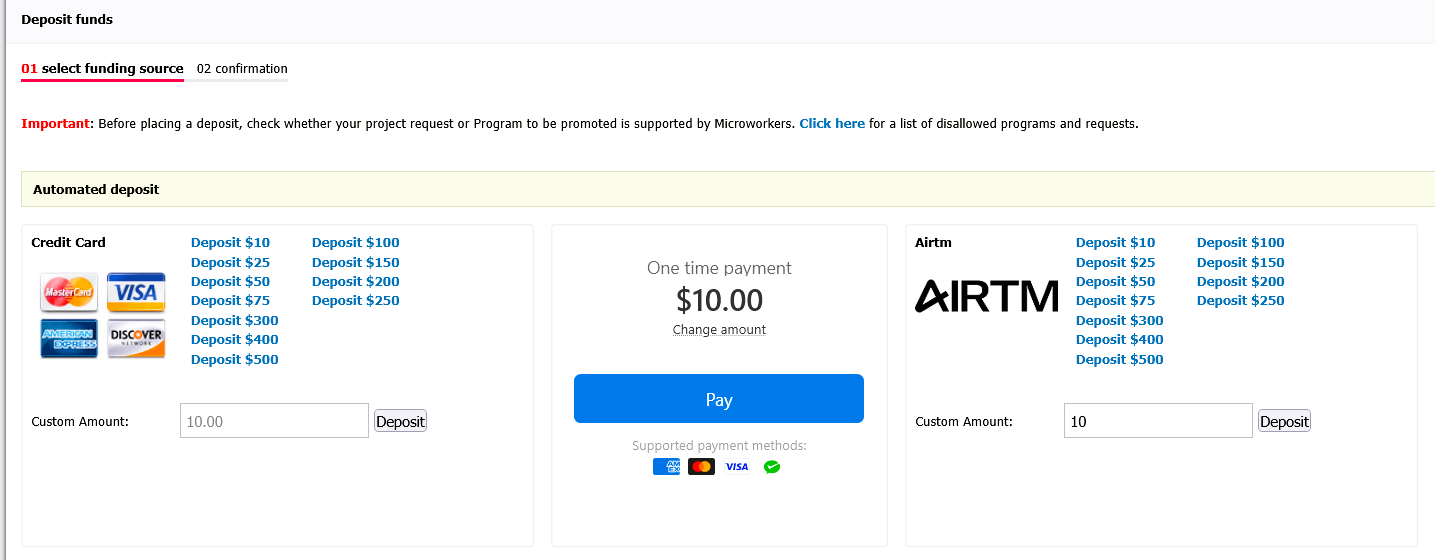
- You will be taken to the “Pay with Airtm” page, where you can provide the billing information you want to appear on the invoice. Then, click “Make Payment”.

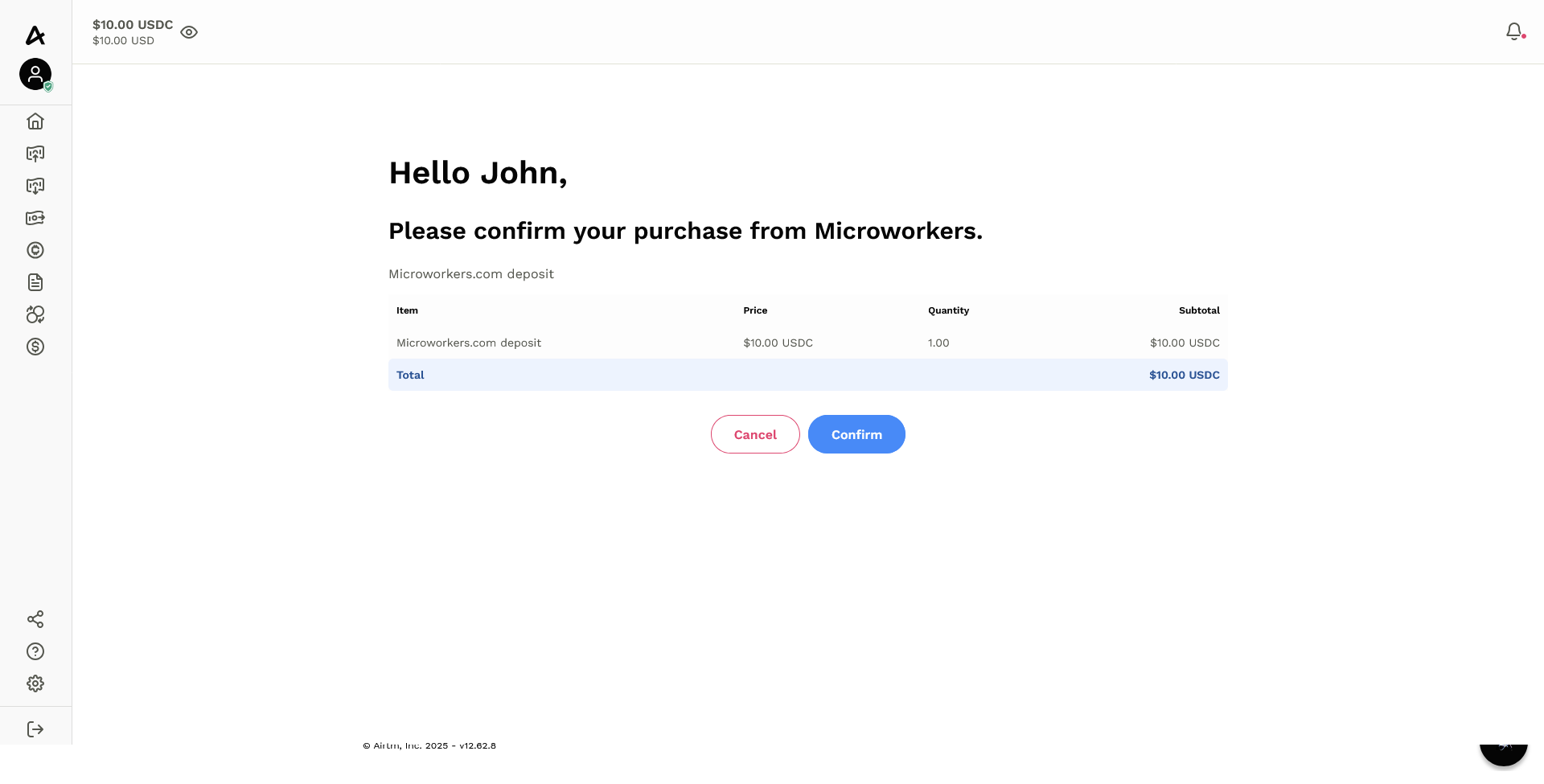
- If you are not yet logged in, you will be redirected to the Airtm login page. Tap “Confirm” to complete the deposit approval.
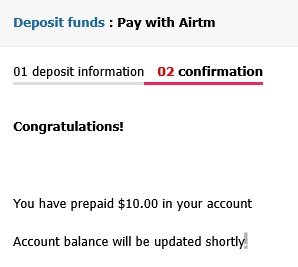
- Finally, you will be taken back to the Microworkers page, where your deposit confirmation will be displayed. And the process is complete.
Who Is This For?
- Employers who already use Airtm for online payments or transfers
- Users looking for an alternative to traditional credit card deposits
- Those who prefer managing funds through a multi-currency digital wallet
Key Advantage:
- Convenient for Airtm users
- No need to use a credit card
- Expands access for users in regions with limited card availability
Existing Deposit Methods
The following deposit options remain available:
- Credit Card (with stored card functionality)
- Skrill / Moneybookers
Limitations and Notes
- Availability of payment methods may vary depending on the Employer’s country or region.
- One-Time Payment methods are processed per transaction and require payment details to be entered each time.
- Payment methods such as digital wallets and Pix cannot be stored for future use.
- Deposited funds are credited to the Employer balance and can be used for campaign creation.
Frequently Asked Questions (FAQ)
Got questions about the new deposit options? Here are the most common ones answered to help you fund your Microworkers account with ease.
Q: Can I save my payment method for future deposits?
A: Only credit cards can be optionally saved. Other methods like Google Pay, Apple Pay, Amazon Pay, WeChat Pay, and Pix are always one-time deposits.
Q: What if my Airtm account has insufficient balance?
A: The deposit will not go through. Make sure your Airtm account has enough funds before initiating a deposit.
Q: Is my payment information secure?
A: Yes. Microworkers uses secure payment processing. One-Time Payments do not store your payment details, providing extra privacy.
Q: What currencies are supported?
A: Deposits are processed in USD. Your payment provider may handle the conversion if using a different currency.
Q: How long does it take for my deposit to appear in my account?
A: Most deposits are instant, but some methods may take a few minutes to a few hours depending on your payment provider.
Q: Can I cancel a deposit after submitting it?
A: Deposits are processed immediately and cannot be canceled once submitted. However, you can request for a refund if necessary.
Q: What happens if my deposit fails?
A: If a deposit fails, no funds are deducted from your account. You can try again with the same or a different payment method.
Q: How do I know my deposit was successful?
A: You will receive an on-screen confirmation, and your Microworkers balance will update immediately (for most payment methods).
Q: What should I do if my deposit is not reflected in my account?
A: First, check with your payment provider. If the payment went through but your Microworkers balance is not updated, contact Microworkers support.
Q: Can I switch from a saved credit card to a One-Time Payment?
A: Yes, simply choose the One-Time Payment option on the deposit page. Your saved card will not be used unless you select it.
What This Means for Employers
More payment options mean fewer obstacles. With these updates, Microworkers helps Employers move from deposit to deployment with ease. Choose the payment method that works for you and keep your projects moving without delay. 😉
No Comments so far.
Your Reply